 SocialGlyphs
Green Dot on Instagram: Does It Really Mean They're Online Right Now?
The green dot on Instagram means someone is active right now. Here's how accurate it is, who can see yours, and how to hide your activity status.
A green dot on someone’s profile picture is Instagram’s Activity Status. It means that person is using Instagram right now.
Where you’ll see the green dot
- At the top of your DM inbox and next to chats
- In the share sheet when you send a post to someone
- Around Notes at the top of your inbox
Green dot vs “Active X ago”
| What you see | Meaning |
|---|---|
| Green dot | Active now |
| Active 5m ago / Active 2h ago | Was active recently |
| Active today / Active yesterday | Last active that day |
| Nothing | Activity Status is off, or you don’t have a connection with them |
How accurate is it?
Mostly, but not perfectly. The dot can stay for a short while after someone closes the app, and it can lag with a weak connection. It doesn’t mean they’re typing, reading your message or chatting with someone else.
How to turn off the green dot
- Go to your profile and tap the menu (three lines).
- Tap Messages and story replies.
- Tap Show activity status and switch it off.
Heads up: it works both ways. With your Activity Status off, you won’t see other people’s green dots or “Active” times either.
Green dot vs green circle
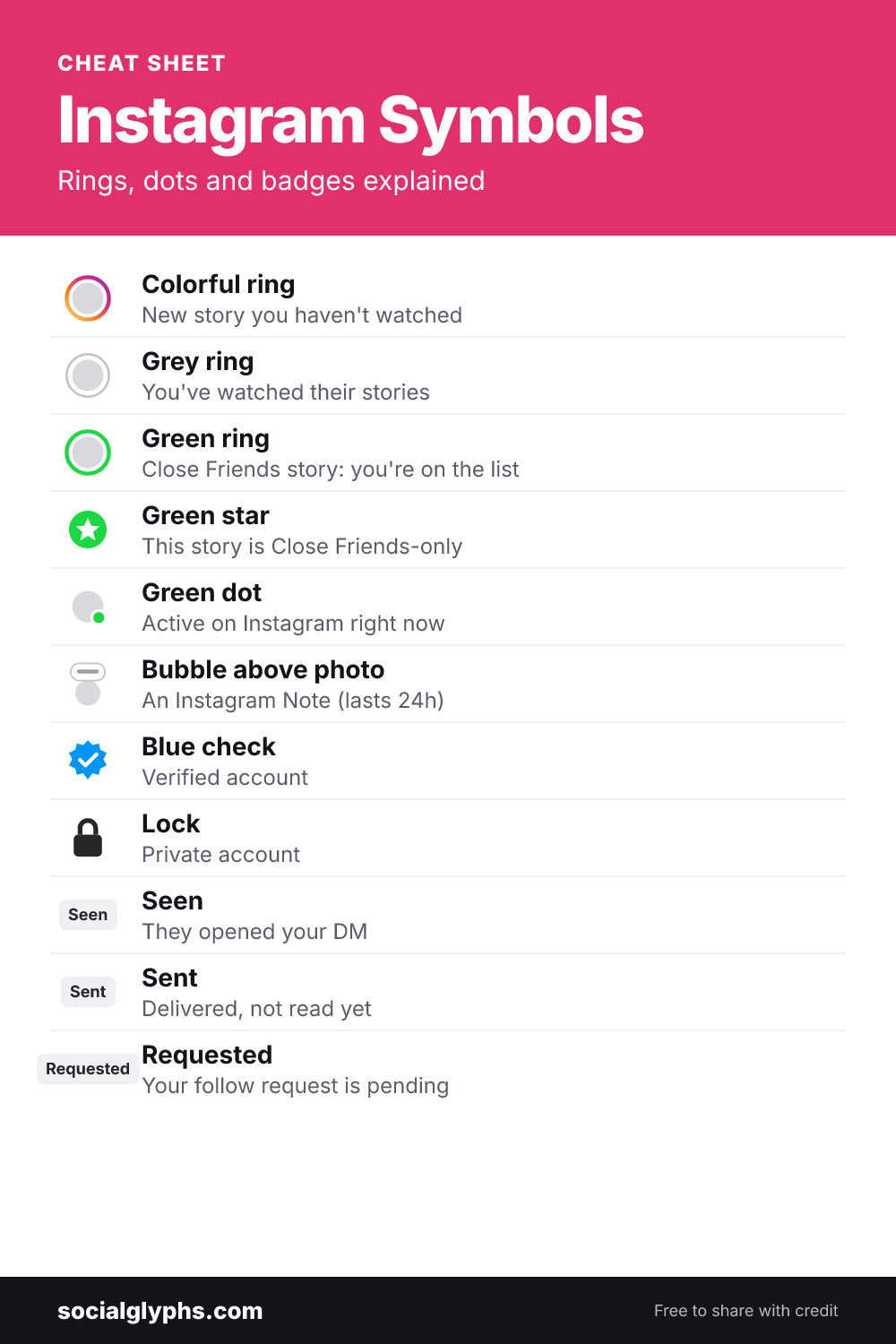
The green dot = active now. A green ring around a story = a Close Friends story. Want to read DMs without showing “Seen” too? Here’s how to turn off read receipts on Instagram.
Frequently asked questions
What does the green dot mean on Instagram?
It means the person is active on Instagram right now — the app is open on their device.
Does the green dot mean they're chatting with someone?
No. It only means the app is open. It doesn't show who they're talking to or whether they're typing.
Who can see my green dot?
Accounts you follow or have messaged can see it, as long as your Activity Status is on.
How do I turn off the green dot?
Go to Settings and activity, then Messages and story replies, then Show activity status, and switch it off.
Why do I see the green dot when someone isn't online?
Activity Status can lag a little behind real activity, especially with a weak connection or the app running in the background.